 English
  Español
  Português
  Français
  Deutsch
  Italiano
  日本語
日本語  中文
中文  한국어
한국어  العربية

Turn One Video Into
Viral Shorts Automatically
AI finds the best moments, adds captions, and creates clips for TikTok, Reels & Shorts.
No credit card required · 100 free minutes included · Captions added automatically No credit card required · 100 free minutes
Perfect for















See ScaleReach in Action
Real videos from creators, clipped and captioned automatically by AI. No editing skills needed.

Last To Leave Grocery Store, Wins $250,000

The Future Mark Zuckerberg Is Trying To Build

50 Streamers Fight for $1,000,000

IShowSpeed Funny Moments Compilation #4 😂🤣

iShowSpeed's Best India stream Moments! 😂
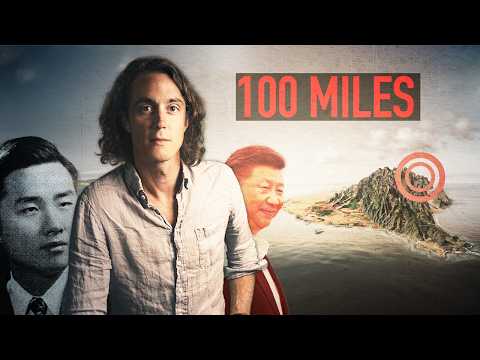
China Will Never Beat Taiwan, Here’s Why

Stop wasting money on these products!

Driving Xiaomi's Electric Car: Are we Cooked?

Asking Celebrity YouTubers to Workout in THEIR Home Gyms (again)

First to Make the Plane Shot Wins!

Mac vs Windows - It's not close in 2026!

I Played in the NBA All Star Game

Airsoft Battle Royale (feat. Wives)

Polymarket Asked To Work With Us. We Exposed Their Scam Instead.

90% of you are not ready to compete with AI
One long video. 15 ready-to-post clips.
Drop in a YouTube link or upload a video. ScaleReach detects the best moments, adds captions, and delivers platform-ready clips in minutes - no editing required.

Last To Leave Grocery Store, Wins $250,000




Last To Leave Grocery Store, Wins $250,000
Everything you need to go viral
AI clips, captions, viral scoring, thumbnails, MCP, and scheduling — one tool.
AI-Powered Clip Detection Automatically identifies the most engaging moments in your videos using advanced AI analysis.
Viral Score Prediction AI-powered scoring system that predicts clip performance based on engagement patterns.
Auto-Generated Captions Accurate transcription with word-level timing, customizable styles, and animated text effects.
TikTok
9:16 vertical, optimized for...
Instagram Reels
9:16 vertical, 90 sec max
YouTube Shorts
9:16 vertical, 60 sec max
Multi-Platform Export One-click export optimized for TikTok, Instagram Reels, YouTube Shorts, and more.
Social Media Scheduler Schedule and auto-post your clips to TikTok, Instagram, YouTube, Twitter/X, and LinkedIn directly from ScaleReach.
MCP Integration Clip videos and schedule posts by chatting with Claude, Cursor, or Kiro. No dashboard needed.
AI Clip Thumbnails Every clip gets an auto-generated thumbnail. AI picks the best frame and adds text overlays so your shorts stand out in the feed.
Public Share Clips Share your clips with a public link. Let anyone view, download, or embed your clips instantly.
From raw video to viral clips in minutes
No editing experience required. ScaleReach handles everything from detection to posting.
Upload or paste a link
Drop a YouTube URL or upload any video file - MP4, MOV, WebM. No editing skills needed.
AI finds your best moments
Our AI scans every second of your video, scores each moment for virality, and generates ready-to-post clips with captions.
Schedule & post everywhere
Pick your clips, tweak captions, and schedule them to TikTok, Instagram, YouTube Shorts, Twitter/X, and LinkedIn in one click.
ScaleReach vs the rest
ScaleReach starts at $10/month billed annually, or $12/month billed monthly. That works out to $0.05 per minute of source video against $0.10 on Vizard and Opus Clip Starter, with the scheduler included at every paid tier.
| Feature | ScaleReach | Vizard | Opus Clip |
|---|---|---|---|
| Free minutes to start | 100 free minutes | 60 credits/mo | 60 min/mo, watermarked |
| No sign-up to try | Yes | No | No |
| YouTube link input | Yes | Yes | Yes |
| AI clip detection | Yes | Yes | Yes |
| Auto captions | Yes | Yes | Yes |
| Viral score prediction | Yes | No | Yes |
| Split screen (gameplay bg) | Yes | No | No |
| Built-in post scheduler | Yes | No | No |
| Public share links | Yes | Yes | No |
| Watermark-free on paid | Yes | Yes | Yes |
| Starting price (annual) | $10/mo | $14.50/mo | $14.50/mo |
| Starting price (monthly) | $12/mo | $29/mo | $29/mo |
| Cost per source minute | $0.05 | $0.10 | $0.10 |
Common questions
What ScaleReach is, what it costs, and how it compares
Still have questions? Contact our support team
About ScaleReach
ScaleReach is an AI video repurposing platform that turns long-form video into short vertical clips for TikTok, Instagram Reels, and YouTube Shorts. You paste a YouTube link or upload a file, and ScaleReach transcribes it, scores every moment for viral potential, cuts the strongest moments into 9:16 clips with face-tracking reframe and word-by-word captions, then schedules them to your social accounts.
Yes. The free plan gives 100 minutes of video processing with no credit card required. Free clips carry a watermark and editing is limited. Removing the watermark requires a paid plan, which starts at $12/month billed monthly or $10/month billed annually.
Four plans. Free is $0 for 100 minutes. Starter is $12/month monthly or $10/month annually for 200 minutes/month. Pro is $18/month monthly or $12.50/month annually for 400 minutes/month. Agency is $99/month monthly or $49/month annually for 5,000 minutes/month. Billing counts minutes of source video processed, not clips generated, so Starter on annual billing works out to about $0.05 per source minute.
Two differences that hold across the category. First, price per source minute: about $0.05 on ScaleReach Starter annual against roughly $0.10 on Opus Clip Starter and Vizard. Second, the social scheduler is included at every paid tier, so clipping and publishing happen in one tool instead of two subscriptions. Opus Clip is still stronger on prompt-based clip search and API access.
How it works
Up to 2 hours per file on the Starter plan and up to 3 hours on Pro and Agency. A one-hour video typically finishes processing in a couple of minutes.
TikTok, Instagram, YouTube, X, and LinkedIn, from the built-in scheduler. Publishing is included on every paid plan rather than gated to a higher tier.
Captions and translation cover 100+ languages, with word-by-word caption timing and customisable caption styles.
Yes. ScaleReach ships an MCP (Model Context Protocol) server, so an AI assistant that supports MCP can generate clips and schedule posts without opening the dashboard. Setup details are at scalereach.ai/mcp.
Still have questions? Contact our support team

Get more from every video
No credit card required · 100 free minutes included