
Why it works
One of the most confusing parts of Linux for beginners (/etc, /var, /usr, /proc, no C: drive) is demystified in a fast, dense, highly saveable explainer.
Transcript
Right away, you'll be greeted by a folder structure that looks a little alien at first, but is more intuitive the more time you spend with it. See, while Windows gives every drive a letter and its own separate folder tree underneath that, Linux has one tree that starts at slash and then every drive gets attached or mounted somewhere inside that tree. So, no more scared d/game. Instead, it'll be slashmount/game or whatever path you decide to map that drive to. Okay, what about the rest of this stuff? Most people are only ever going to need/home/username. That sits on your OS drive and is the direct equivalent of C/ users/ username. It contains your documents, your downloads, your pictures, and the like. So, go ahead and copy all of those files over. Now, the rest here is generally system territory. /c holds config files. /v is for data that changes often and that isn't tied to a specific user. Logs are the most common thing that you might go digging for in here, but it also covers things like package manager caches, print cues, and mail spools. / user holds installed programs and /bin and sbin are where the actual core OS binaries live. /lib holds the shared libraries that those programs depend on and /boot is what starts the machine. /proc and slashdev are virtual, so not real files on the disk. /proc exposes live information about running processes and the kernel and /dev represents your hardware as files. You might never touch any of these directories, but it's still worth knowing that they exist. The exception is you might occasionally edit something in /c if you're following an online guide. Otherwise, leave the rest alone and Linux will remind you of that by requiring sudo, the rough equivalent of administrator access on Windows before it lets you do so.
Why it works
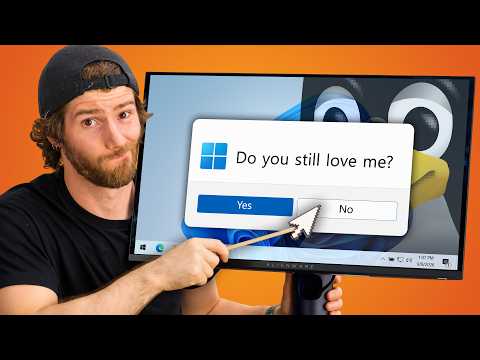
Captures universal frustrations every Windows user has experienced—forced updates, Edge nagging, and OS ads—building to a highly quotable line about an OS serving the user instead of serving ads.
Transcript
Everyone's final straw with Windows is a little bit different. Maybe it's a headline about yet another privacy issue. Maybe it's an update at a really inopportune moment. Maybe it's Edge dark patterning itself into being your default web browser again. Or maybe it's just the sudden realization that your operating system is supposed to serve the user instead of serving ads. Whatever your reason, you're here. You're watching this now and it's time to actually do something about it.
Why it works
Resource-list clips drive massive saves and bookmarks; showing people they can test Linux directly in a web browser with zero installation removes the biggest barrier to entry.
Transcript
So, how do you choose a DRO? Well, you could Google search, ask on Reddit, or consult an LLM. But the best way is to try them for yourself. And the hands down fastest way to do that is with a handydandy tool called DROC C with zero commitment. You don't even need to download an ISO or format a USB drive. It lets you test dozens of different distros directly in your browser. If you find that overwhelming, Dro Chooser is a great place to start. It's a questionnaire style picker that will spit out a half a dozen or so options based on your preferences. Finally, if you're more just wondering what's trendy, which in open source can often be equivalent to what's best supported, DROWatch is a great resource that tracks and ranks distros by popularity, lists release news, and has many reviews for most major distributions.
Why it works
A satisfying manifesto contrasting the daily annoyances of Windows with the total user control of Linux, complete with a Jurassic Park 'magic word' nod.
Transcript
And that's it. Your Penguin build. Now, how does it feel? Pretty good, I bet. Updates used to interrupt you Midame, but now they run only when you tell them to. Your app menu used to try to sell you things, and now it just does its job. Background processes used to phone home for reasons that you never agreed to or even knew about. And now, I don't know, well, they might still do that depending on what kinds of apps you install, but at least your operating system won't do it. Sure, you spent some time and precious brain energy, but you gained back a lot of control, more of it than you probably expected going in, and you're just getting started. Don't like your desktop environment? Install a different one. Want to change what loads at boot, how tasks get scheduled, how a window looks when you drag it? It's all up to you. Heck, if you're feeling ambitious, you can even set up an animated pop-up warning that unauthorized users haven't said the magic word or something. The point is, you can do pretty much anything you want pretty well, free of charge, and it's a great feeling.
Why it works
Sidesteps preachy open-source philosophy and hits two universally hated Windows bugs: slow web-hijacked start menu searches and modern standby overheating laptops in backpacks.
Transcript
Now, I know I often sound like a Linux evangelist now, but I'm not actually trying to convert you to a religion. I don't care if you fully appreciate the uh virtuousness of open-source software or whatever. My sales pitch is way simpler. Do you like to search a thing and it responds right away instead of querying the web? Do you like to put your laptop to sleep and it actually stays asleep instead of waking up and trying to melt itself in your computer backpack from ltdttore.com? Now available in a slick green color with British Miller and waxed fabric. Well, then you're going to love Linux. Not everything about it, but enough things that it's worth giving a shot.
Why it works
Nvidia drivers on Linux are infamous for causing headaches; clearly breaking down NVK vs Nvidia vs Nvidia Open by GPU generation (GTX 10, RTX 20+, RTX 50) makes this a must-save clip for PC gamers.
Transcript
Let's talk drivers. Most dros come with all the drivers you could want. Windows could really learn a thing or two here, but Nvidia drivers can famously be a bit of a sticking point sometimes. Some distros proactively address this for you, but for others, you might need to make some choices here. The unofficial open- source driver NVK is making pretty good progress. In fact, it recently even picked up experimental DLSS support, but it's probably not what you want for gaming just yet. So, your main options are between the two versions of Nvidia's official driver, Nvidia and Nvidia Open. They're both the same thing with identical performance. It's just that Nvidia Open has the kernel facing half open sourced, while on both the part that communicates with your games is closed. The main reason to choose one over the other really comes down to support. Open only works on RTX 20 series and newer, and RTX 50 series cards exclusively use the open version. Nvidia, in fact, now defaults to it on every card that supports it. And for the folks that are still rocking GTX 10 series and older, the classic driver is your only option. Getting it installed can be as easy as pressing one button, or it can lead you to feel like Sisphus himself, depending on your DRO. But there are tools to help. Ubuntu, Basite, and Pika OS include driver managers that will handle it for you. And on Archbased Distros, you can use big driver manager.
Why it works
The analogy 'treat your Linux PC more like a console—something that supports many games, but not all games' is a fresh perspective for PC gamers, paired with three essential gaming tools (Proton, Heroic, Lutris).
Transcript
Anyway, as for gaming, Steam offers up more than just native support for Linux, but they also add the Proton compatibility layer. We've covered this in more detail before, but Proton allows many Windows games to run directly on Linux without any tom foolery or user configuration. Not everything works. As I mentioned, some anti-cheat and some DRM schemes can run into trouble. But if you treat your Linux PC more like a console, you know, something that supports many games, but not all games, you might find that there is plenty to do to pass the time. And you aren't even limited to just Steam. Heroic Launcher is worth checking out for Epic Games and DRM free titles from GOG. And Lutris is another great tool for your toolbox if you happen to be into emulation.
Why it works
Explains a core conceptual shift for Windows users (why there's no .exe) while backing up the rise of Flatpak/Flathub with concrete 2025 growth numbers and ending on the classic 'Year of the Linux desktop' meme.
Transcript
Now, you can go to the developer website to download an application like you would on Windows, but Linux doesn't really have a universal version of something like a.exe file on Windows. And different dros will use different package managers for their software. So, if you try to download software that way, the compatibility can be pretty hit or miss. I'd say the closest thing is probably Flatpack. It's a self-contained package that has essential dependencies bundled into it and then it is sandboxed by default from the rest of your system and installable on pretty much any DRO. It's kind of become the default way that most people install software on Linux. FlatHub, where most flat packs can be found, hosts around 2,800 apps and pulled a record 435 million downloads in 2025. That's a 21% increase year-over-year with over a thousand of those apps published directly by their original developers rather than being repackaged by volunteers. You're the Linux desktop baby. It's coming.
Why it works
Directly answers the #1 objection to switching to Linux ('What about my Windows-only apps and anti-cheat games?') with honest, practical solutions like Bottles and two-drive dual-booting.
Transcript
But you still won't find everything there. So what about the rest? For Windows only applications that have no Linux equivalent, bottles is going to be your best option. It's a wine front end that lets you install Windows applications in contained environments, managing their dependencies and configuring their compatibility settings without getting lost in the terminal. Not everything works, but it is significantly more approachable than vanilla wine. Wine HQ's app DB is worth checking out beforehand, by the way, to see how a specific Windows app is known to run. For the ones that don't, it's time to talk options. First up is dual booting. I alluded to this earlier having the two separate drives and Luke did a great video about this recently. This is realistically the only bulletproof workound when it comes to games that have kernel level cheat and some professional applications that just have no Linux equivalents.
Why it works
Practical hardware/software survival tips—like programs hiding save data in Program Files and physically unplugging extra drives so you don't accidentally wipe them—resonate strongly with PC builders.
Transcript
Anyway, whatever dro you choose, this is the part where you stop for a moment and formulate a strategy. If you have a NAS or a networkattached storage device, or if you use cloud storage, then backing up your data is relatively straightforward. Just grab everything of value from C/ users/youname folder and copy it there to be manually migrated after the fact. Also, don't forget to dig through your installed programs and see if any of them have kind of wackadoodle user data storage schemes. Over the years, I've seen ones that stash it in hidden app data folders or even ones that keep it in the program files directory, which is a huge yikes. If you don't have either a NAS or cloud storage, then it's decision time. Installing Linux will involve wiping your operating system drive. So, do you want to grab another drive to use as a backup target? Or, this can actually be a really elegant solution for reasons I'll get into later. Do you want to pick up a new drive altogether? Install Linux to that and then choose which operating system you want every time the system boots. Whichever route you go, once you've backed up your important data, we would strongly recommend physically disconnecting every drive from the system that isn't the one that you want to wipe and install Linux on.
Why it works
Calling out a beloved tool like Ventoy over security concerns and binary blobs is major comment-bait for the PC and Linux community.
Transcript
Obtaining the ISO is easy. Find your DRO's website, select your architecture, probably x8664 if you didn't come through a time machine to watch this video, and then you wait. And while you wait, you can pick up a tool to turn that ISO file into a bootable USB drive. The most popular tools for this are Bolina Etcher and Rufus, with Ventoy being another big one, but it's kind of fallen out of favor lately for using some pre-ompiled binary blobs that could compromise its security either now or in the future.
