
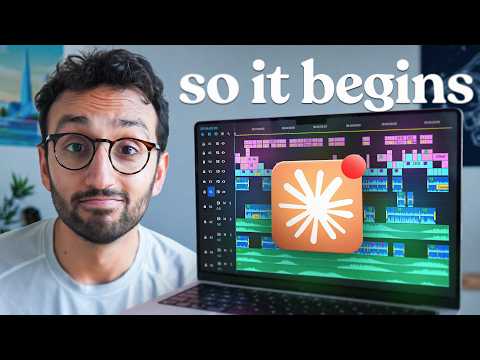
I Tried Learning AI Video Editing in One Day
12 clips from a 46:33 video · top score 94
Get clips like these, freeWhy it works
Captures a genuine 'lightbulb moment' discovering the term 'motion plates' and turns it into one of the best AI prompting tips ever: learn the exact jargon professionals use so you can unlock better AI outputs.
Transcript
zoom pans type in product UI that does not need to be built inside Resolve. Ah, motion just means it's animated. You're not asking Resolve to animate the dashboard. You're asking to place a clip that already has the animation in it. That's clever. One thing I find when learning about AI stuff or when trying to do AI stuff is that I learn terminology that's actually used in the industry. So, for example, the other day I was doing some thumbnails for a thing. And I learned what a contact sheet is, which is basically like a a series of thumbnails for a storyboard or something like that to explore different concept directions. And then because I then had that terminology, I was able to use that terminology in future prompts. I've never heard the phrase motion plate before, but this is exactly what I want. I want the a cut of of the video, the A-roll of me talking, and then I want really high quality motion plates to appear over the top based on what I'm saying in the video. Learning number two, learn the words that the professionals use. Because as soon as I knew it was called a motion plate, I could then ask the AI for exactly what I wanted.
Why it works
Strong, self-contained summary of the whole experiment (80% goal -> 97% reality in 6 hours for $0 extra on Claude) ending on the iconic, chill-inducing closer: 'This is the worst it is ever going to be. It only gets better from here.'
Transcript
Now, I said at the start of the day that I would be happy with the AI getting to 80% as good as our human editors. By the end of the day, I reckon we got it to about 97%, especially on the motion graphics front. It took about 6 hours from start to finish, and it didn't cost anything on top of my Claude subscription. And now that I've done this once, I've firstly got all of the code that Claude generated, and so it'd be easier to do it again. But more importantly, I have more of a mental model for exactly how AI video editing works. I feel like I I have I've unlocked a part of my brain that's now able to think of more ways to use this miraculous technology for loads of other things in the business. Just going to be really fun. And what's flabbergasting is that this is the worst it is ever going to be. It only gets better from here.
Why it works
Opens with an immediate, crystal-clear hook ('There are basically two ways AI can make you a video right now') and reveals the exact tools behind the viral coded launch videos (DaVinci MCP vs Hyperframes/Remotion) in under 30 seconds.
Transcript
There are basically two ways AI can make you a video right now. The first one is to edit the footage that you've actually filmed. For that, I used Da Vinci Resolve, which is a proper professional video editor that recently started letting AI control it directly. But then the second is to not edit footage at all. You instead get the AI to write the video as code and it generates every single frame. That's what tools called hyperframes and remotion do and it's how a lot of those launch videos that you might have seen on YouTube and Twitter are being made. I didn't know which approach would work and so I decided to try both of them at the same time.
Why it works
Brilliant analogy comparing prompting AI to onboarding a new human employee, complete with a funny jab at people who try one lazy prompt and declare 'AI sucks'.
Transcript
if we were hiring a human video editor and now we're testing out a brand new video editor, the way we do that is we give them 10 minutes of footage and we ask them to just give us the first 60 seconds as an edit because it gives us a feel for how are they doing. It it would be unfair to ask a human video editor to say, "Hey, of these 10 minutes, pick the best 45 seconds and turn it into a cohesive story and then let's see see the editing because it would be a lot for a human video editor who's good at video editing but maybe not good at scripting. Maybe actually the thing that I recorded is not suitable to be spliced into a 45se secondond chunk. Yeah, I don't want to be one of those people that tries to oneshot something, gets a slightly response, and then thinks AI sucks. Like, I knew it. I knew it was using too much data. I knew the data centers were evil, etc., etc. It's like, no, I'm sure that there's definitely a way to do this. I just need to be a little bit more sophisticated with the process and make it happen. So my learning here, learning number one is treat the AI like a human and give it the task that you would give to a human with the same level of instruction.
Why it works
Shows a genuine third-party reaction to the finished AI edit, answering the 'Was this one-shotted?' question ('No, about 20-shotted') and sparking debate with 'Video editors are cooked... human plus AI is the sweet spot'.
Transcript
Do you want to check out what I've been cooking all day? Yes. Is it filming? It's it's it's filming. If you're a brand doing creator marketing, you know, it's a total nightmare. Either you pay loads of money to an agency and wait ages for content, or your own team gets stuck doing everything, finding the creators, DMing them, negotiating with them. I mean, these look quite contracts, like all of that stuff. Creator Grid started as our in-house tool for dealing with all this fat, but then loads of brands told us they love the idea. We spun it out. Now, we run your creator campaigns end to end. Whether it's UGC for ads or whether you want organic music, you just have to do two things. Firstly, you just approve the creators that you want to work with that we give to you. And secondly, you approve the content that they produce. Everything else is handled by us, our team, and our platform. Was this one shoted? No, of course not. Okay. About 20 shoted. I was going to say like this is like this is really good. That's very good. So, if we scroll like this is how much back and forth it was. Okay. So, it's it's it's not a huge amount like and if we look at the amount of words of you know I'm mostly just giving it minor prompts here and there. Yeah. And it's mostly just sort of and it's mostly just like doing stuff doing stuff. Video editors are cooked except our guys of course. Our guys are great. Except our guys of course. Yeah. Our guys are using this using this a lot. I saw partit part was also very good. Yeah. Um better than this stuff but nice. I think human plus AI is the that's the sweet spot. It's the sweet spot right now. Yeah.
Why it works
Directly calls out the viral Twitter AI hype ('Look at this one shot!') and shares the highly relatable 80/20 truth of working with AI: the first 80% is instant, the final 20% of taste takes ages.
Transcript
The stuff I've seen on Twitter is like super super super polished. They're like, "Oh my god, Opus 5.5 is incredible at making launch videos. Look at this one shot." And I'm like, "There's no way that was actually one shot. Surely you had to go back and forth quite a lot and do a lot of tinkering to get that particular result." So, I'm going to be very interested to see what does the oneshot look like where I've just I I'm not really driving it. I'm just like giving it copied and pasted stuff from Grock into cloud code and then claw code into claw code just like raw dog and just see what it does. And then when I've dabbled with AI stuff just for anything in the past, getting it to like 80% good enough happens with one shot. But then polishing that final 20% takes freaking ages and the bulk of the time is spent in polishing it so it feels good and looks good and has, you know, taste applied to it rather than just the oneshot version.
Why it works
Hilarious real-time reaction to AI completely butchering a basic talking-head cut after starting off sounding totally normal.
Transcript
If you're a brand trying to grow with creator marketing, you probably know that it is a total nightmare. If that resonates, I would love to tell you about Creator Grid, where we will literally run your creator campaigns for you end to end. You don't pay anything upfront. There is no retainer. There's no subscription. And you only pay for results. Entrepreneur and creator. If we haven't met, hello. I'm What the hell? Ali, I'm a doctor turned entrepreneur and creator with about 8 million. Creator Grit is our attempt to basically give you the level of service. Oh no. Oh no. It didn't. It screwed up the A cut. Just the basic A cut. It just doesn't get it. I knew it. I knew it. The pauses. The pauses. The pauses are bad. It's not It's not doing the A cut properly.
Why it works
Peak 'tech bro boy math'—using a hot iMac during a one-day experiment as an excuse to ask his wife on camera for a $20,000 M5 Max Studio for 'the vibes'.
Transcript
Yeah, mate. This Mac is absolutely heating up like a like a barbecue. Yeah, actually hard to hard to hard to hold on to it. This means that I can campaign to the wife that I need the fully decked out M5 Max Studio, right? Which costs about 20,000 USD, but it's worth it. It's my boy math cuz it will make that AI editing a little bit faster. Even though I don't really do editing myself. I'm just doing this for the vibes, right? Is that okay? Can I get an M5 Max Studio, please? We can talk about it later. Nice. Very good. Very good.
Why it works
Highlights the biggest superpower of code-based video editing (Remotion/Hyperframes): getting a brand new logo when the edit is 90% done and reskinning every motion graphic with one prompt instead of redoing hours of manual keyframing.
Transcript
At this point, I was on a call with Pablo, my co-founder on Creator Grade, and he actually sent over a brand new logo. Now, when it comes to normal video editing, doing a rebrand when you're 90% done with a video is a total pain in the neck because it often means going back and redoing every single graphic by hand. But because these videos were basically code, my theory was I could just give Claude the new logo and I could ask it to update the entire design system based on that logo. And so, let's see how it does. So, this is the new kind of logo for creator grid. This is the new creator grid logo. Can you update the styles etc of the video to match including the relevant colors and vibe? Boom. And boom. Cool. All right, it is officially 7:05 p.m. I need to head home for family dinner and then baby bedtime with the baby girl. But I think Izzy is still here on some onboarding calls for her new uh Dream 21 community. And so until then, we're going to see if we can wait for these draft renders to finish and then we'll see how good a job this does at just like reskinning the videos based on the new logo. Yeah, it's having to like rerender all of the motion plates. Learning number five, when your video is basically code, changing your mind is super cheap.
Why it works
Breaks down a complex creative skill into 4 simple steps (A-cut, B-roll, animation, sound design) + taste, making it super digestible and save-worthy for creators and marketers.
Transcript
What is video editing at its core? Okay, so if we think of when you've already got some footage compared to when you don't. So when you've already got some footage, what is video editing? Well, firstly you import the footage and then you need to basically cut out all the mistakes to get a clean a cut. Then once you've got a clean a cut, you then add in B-roll. It would be like the screen recordings and the screenshots and stuff. Then the hard part, the bit that takes ages is animating the B-roll so that you've got like zoom in and zoom out instead of just showing a screenshot which would be boring. These launch videos often go in and out and then there's motions and transitions and fadeins and movements and swipes and pans and all those things. So that takes a human video editor ages to do. Once you've done that, then it's like background music and sound design. So the background music, you know, we've got a particular vibe, but then sound effects like risers and swipes and swishes and all that kind of stuff. That is ultimately what video editing comes down to. And then obviously the taste factor is telling a good story and deciding what to cut out, deciding what to keep in. I feel like once we break it down into all those things these days, surely the AI should be pretty good at all that stuff.
Why it works
Gives blunt X/10 ratings on the top 3 AI video editing workflows and explains the exact limitation of Opus 5.5 when handed 10GB of raw footage.
Transcript
So at this point, I would rate Hyperframes as being like probably a 7 out of 10. Da Vinci Resolve, I would rate it being probably a 3 out of 10. And Remotion was super buggy, so I'd probably give it a 2 out of 10 right now. Uh but it does have the right idea. It does have the right idea. Here is the problem. I think if we think about like the two versions of the video, if we imagine a roll is what what being said that needs to be a cut. So we go for raw a- roll. What we what this kind of needs is a script to raw a-roll then you get the a cut and then you get the add in effects. What I was trying to get Resolve to do is basically take 10 GB worth of A-roll footage and hope that it would a magically be able to 45 seconds of that to turn into a cut, but then also to actually be able to edit an A cut using J cuts and L cuts to the level that I would like. Now, that is probably a little bit unfair and that's a little bit beyond what Opus 5.5 can do at this stage. Maybe one day you'll be able to just give it a bunch of footage and say, "Eedit this for me." But today is not that day.
Why it works
Shows the turning point where Hyperframes produces a shockingly good talking-head + UI edit, followed by the surprise discovery that Remotion builds a full video editor in the browser.
Transcript
If you're a brand trying to grow with creator marketing, you probably know that it is a total nightmare. I would love to tell you about creator grid where we will literally run your creator campaigns for you end to end. All you have to do is basically two things. So firstly, you decide which creators you want to work with. So we'll source them for you and you just sort of approve or reject them. We will give you a bunch of content and you just decide to approve it or not. Everything else is handled by us. So, the sourcing of creators, negotiating, reviewing the content initially, and then invoicing and paying the creators, tracking all the views, blinds, all of that annoying stuff we take off of your plate. Wow. Okay, that is very good. I mean, obviously, it could do with a lot of work, but that is remarkably impressive. I did not think it would be that good. Let's see how Remotion does it. Wa! Remotion has literally given me a video editor interface. What the hell? I didn't realize I could do that.
