
The first decision an agency makes about AI clipping isn’t which tool. It’s what unit you buy: one shared account that holds every client, or one account per client. That choice decides where your minutes live, who can see which client’s footage, and who can post to which client’s channels. Our own data shows the shape agencies actually use: the one Agency workspace on ScaleReach today has clipped 108 videos from 36 different YouTube channels, all from a single login.
Disclosure: ScaleReach publishes this post and sells an Agency plan, so weigh the bias. Every ScaleReach figure below comes from a read-only query of our production database on 5 October 2026, or from our own source code on the same day. Competitor facts were read off each vendor’s own pricing page the same day. We don’t pay for any competitor’s plan here, and there are no affiliate links.
The short answer
Pool if you’re small. One workspace with every client in it shares one minute bank and one set of logins. Give each client their own brand template and their own connected social accounts.
Split if clients must not see each other. One workspace per client keeps footage, accounts and members separate. On most tools, ScaleReach included, that means each one is billed separately.
Check three things on any pricing page: whether minutes are shared across workspaces, whether seats cost extra, and how many brand kits you get.
Bottom line: most small agencies should pool. Split only the clients whose contracts or access rules require it.
Should an agency use one shared workspace or one per client?
Both work. They trade cost against separation.
| One shared workspace | One workspace per client | |
|---|---|---|
| Minutes | One pool for every client | Each workspace has its own balance |
| Billing | One subscription | One subscription per paid workspace |
| Who sees what | Every member sees every client’s videos and clips | Members only see the clients they’re invited to |
| Social accounts | All client accounts connected in one place | Each client’s accounts live in its own workspace |
| Branding | One brand template per client, picked per job | Each workspace has its own templates |
| Best for | A small team where everyone works on every client | Clients with strict access rules, or freelancers who need their own view |
The deciding question is usually access, not price. If a contractor working on client A shouldn’t see client B’s unreleased footage, they need to be in separate workspaces. If your whole team touches every client anyway, a shared workspace is cheaper and simpler.
How does ScaleReach handle multiple clients?
A workspace is the unit everything belongs to: the plan, the minutes, the members, the brand templates and the connected social accounts. Here is what that means on the Agency plan, read from our code:
- Minutes are per workspace. The Agency plan’s 5,000 minutes a month belong to the workspace you subscribed. They aren’t shared with your other workspaces.
- Up to 10 workspaces and 10 members. The app lets an Agency owner create up to 10 workspaces and invite up to 10 members. But a new workspace starts on the Free plan with 0 minutes. To clip in it, it needs its own paid plan. So for a pooled setup, keep your clients inside the Agency workspace.
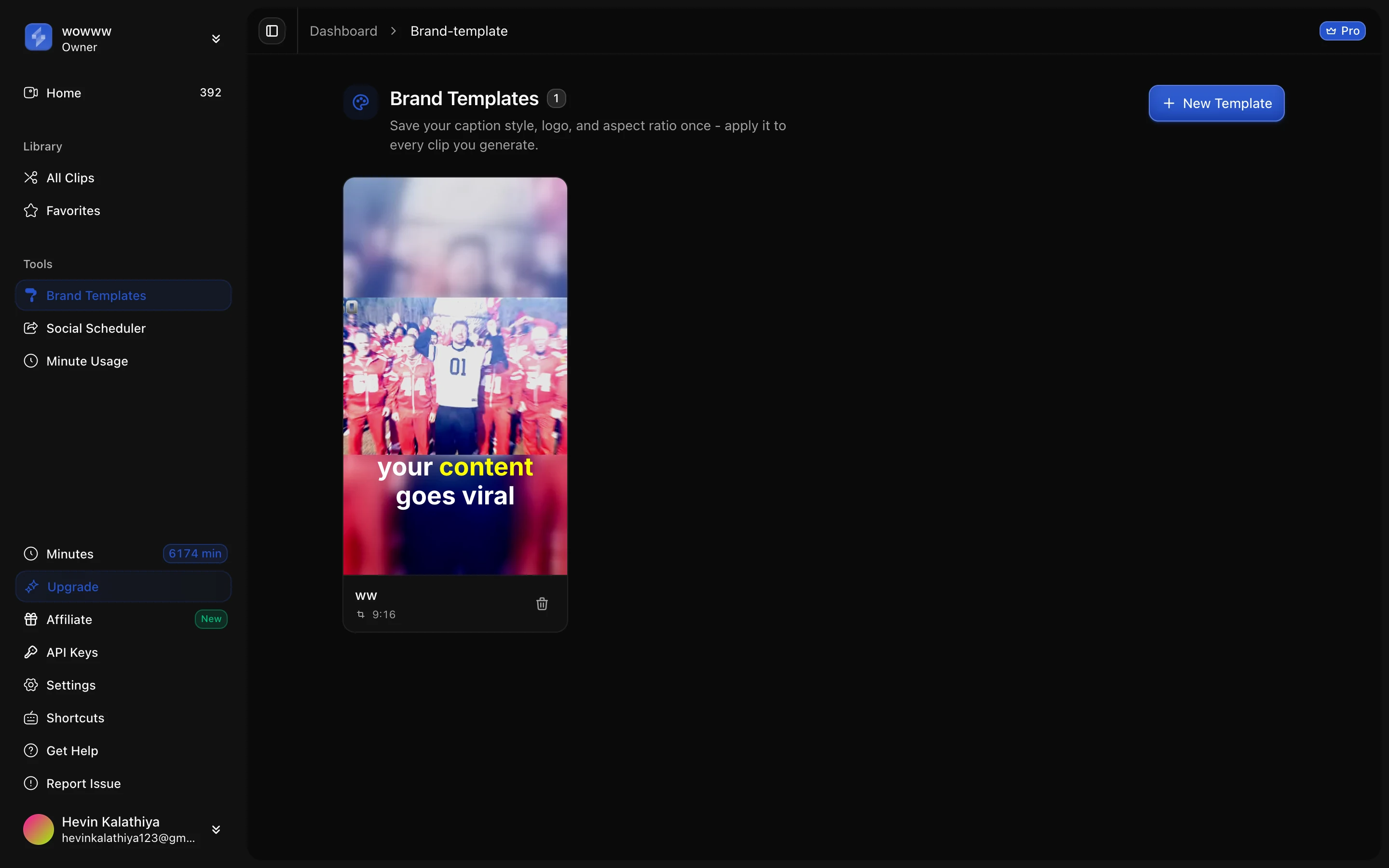
- Unlimited brand templates. Each template saves a caption style, a logo overlay and an aspect ratio. Make one per client and pick it when you set up each clip job.
- Unlimited social accounts. Agency has no cap on connected accounts, and you can connect more than one account on the same platform, for example two clients’ YouTube channels.
- Three roles, no per-client permissions. Owners and admins manage members, workspace settings and brand templates. Only the owner can delete the workspace. Every member can upload, clip, connect social accounts and post to any account connected in that workspace. There’s no way to limit a member to one client inside a shared workspace.
- Client review without a login. Each video can get a share link. The client opens it, watches the clips and downloads the ones they want. You can revoke the link at any time, and it records views and downloads. It has no password, so treat the link itself as the key.
Two publishing limits apply to every client. TikTok posts from our scheduler can’t go public yet, because our TikTok app hasn’t passed TikTok’s audit. X/Twitter posting isn’t available. YouTube Shorts and Instagram Reels publish normally. The details are in which clip tools actually auto-post to TikTok, Reels and Shorts.
How many client channels does 5,000 minutes cover?
Minutes are charged on the source video you process, so the math is hours of footage per month:
| Workload per month | Minutes used | Share of 5,000 |
|---|---|---|
| 5 clients × 4 one-hour episodes | 1,200 | 24% |
| 10 clients × 4 one-hour episodes | 2,400 | 48% |
| 10 clients × 8 one-hour episodes | 4,800 | 96% |
| 20 clients × 4 one-hour episodes | 4,800 | 96% |
On annual billing, Agency is $49 a month for 60,000 minutes a year, about $0.0098 per source minute. On monthly billing it’s $99 a month for 5,000, about $0.0198. For comparison, Pro is 400 minutes a month, enough for roughly six hour-long episodes. Current prices are on the pricing page, and what it costs to clip 10 hours of podcast a month runs the same math across seven tools.
A single upload can be up to 3 hours long on Agency, and up to 4 GB as a file. Clips per hour of footage vary with how much is said; how many clips one hour of video gives you has the figures.
What do other clip tools offer agencies?
Here’s what each vendor’s own pricing page says about teams, read on 5 October 2026. Prices are left out on purpose: they’re compared in our ranked list of Opus Clip alternatives. Wording in quotes is the vendor’s.
| Tool | Seats | Brand kits | Social accounts | Team features |
|---|---|---|---|---|
| Opus Clip | Pro: “2 users / pack, up to 4 users”. Business: “Unlimited” | Free and Starter: 1 template. Pro: “Up to 4 templates”. Business: “Custom solution" | "Post to multiple profiles per social platform” on Pro and Business | Business is “Custom”, via contact form |
| Vizard | Not stated on the pricing page | ”Brand kit” on Business | 1 on Free, 6 on Creator, 20 on Business | Free and Creator: “Private workspace”. Business: “Share project” |
| Klap | Not stated on the pricing page | Not stated on the pricing page | ”Unlimited social accounts” on all plans | Pro+ is labelled “For teams”, 1,000 clips a month |
| ScaleReach | Agency: up to 10 members | Unlimited per workspace | Unlimited on Agency | Up to 10 workspaces; minutes stay per workspace |
Sources: opus.pro/pricing, vizard.ai/pricing, klap.app/pricing (all verified 2026-10-05). “Not stated” means the rendered pricing page didn’t say, not that the feature is missing.
What competitors do better, plainly: Opus Clip offers a Business tier with unlimited seats and a sales contact, which suits larger agencies that want a contract. Vizard’s Business plan includes project sharing inside the product. Klap prices by output clips, so if you think in deliverables rather than footage hours, its numbers are easier to quote to a client. Watch per-seat pricing on any tool. A five-person team on a per-seat plan pays five times the headline price.
How do agencies actually use ScaleReach today?
Honestly, the team features are barely used. These are live counts from our production database on 5 October 2026:
| Measure | Count |
|---|---|
| Workspaces | 1,666 |
| Workspaces with more than one member | 0 |
| Workspaces on the Agency plan | 1 |
| Owners with more than one workspace | 6 |
| Brand templates saved, across all workspaces | 2 |
| Workspaces with any connected social account | 10 |
| Share links created | 58, across 4 workspaces |
| Share link views | 1,472, from 259 distinct viewers |
So the one agency on ScaleReach runs it like a solo operator: one person, one workspace, 36 channels. Nobody has yet tested 10 members inside a workspace in production. If you need a multi-person setup, that’s the part to try on a trial before you rely on it. The share links get real use, though, with 259 distinct viewers so far, which is the review step most agencies need.
How should an agency set this up?
- Decide pooled or split per client. Default to one shared workspace. Make a separate paid workspace only for clients whose contracts restrict who can see their footage.
- Make one brand template per client. Caption style, logo and aspect ratio. Name it after the client so nobody picks the wrong one.
- Connect each client’s social accounts. Name the accounts clearly. In a shared workspace, every member can post to every connected account.
- Use the video’s notes field for the client name. Each video has a notes field, so the library stays sorted when 30 shows sit in one place.
- Send clips for approval with a share link. The client reviews and downloads without an account. Revoke the link once the batch is approved.
For the weekly rhythm after setup, a content repurposing system for small teams covers the handoffs from footage to posting.
FAQ
What is the best AI clipping tool for agencies?
The one whose billing unit matches how you separate clients. If your team works on every client, pick a tool with a large shared minute pool and several brand kits. ScaleReach Agency gives 5,000 minutes a month with unlimited brand templates and social accounts. If clients must be kept apart, compare per-workspace or per-seat pricing instead, because you’ll be paying for each separation.
Can I manage multiple clients in one ScaleReach account?
Yes. Keep every client in one Agency workspace, make a brand template for each, and connect each client’s social accounts there. All clients then share the 5,000 monthly minutes. The trade-off is visibility: every member of that workspace can see every client’s videos and post to every connected account. There are no per-client permissions inside a workspace.
Are minutes shared across ScaleReach workspaces?
No. Minutes belong to the workspace that holds the plan. The Agency plan lets you create up to 10 workspaces, but each new one starts on the Free plan with 0 minutes and needs its own paid plan to clip. To share one minute pool across clients, keep the clients in the same workspace and separate them with brand templates and notes.
How do clients approve clips without an account?
Send a share link. Each video can have one, and it opens a page where the client watches the clips and downloads the ones they approve. No login is needed. The link can be revoked at any time and records views and downloads. It has no password, so share it only with the client and revoke it once the batch is done.
How many clients can 5,000 minutes cover?
About 20 clients publishing four one-hour episodes a month, or 10 clients at eight a month. Minutes are charged on source footage, so 5,000 minutes is just over 83 hours. A single upload can be up to 3 hours. On annual billing that works out to about $0.0098 per source minute, and about $0.0198 on monthly billing.
Do AI clip tools charge per seat?
Some do, and it changes the math more than the headline price. Opus Clip’s Pro plan adds users in packs, up to 4, and its Business tier has unlimited seats on a custom quote. ScaleReach doesn’t charge per seat: Agency includes up to 10 members. Check the seat line on every pricing page, because a per-seat price multiplies by your team size.
The bottom line
For most small agencies, one shared workspace is the right setup. One minute pool, one brand template per client, every client’s accounts in one place, and share links for approvals. Split a client into its own workspace only when their access rules demand it, and budget for that workspace’s own plan.
Be clear-eyed about where ScaleReach stands. The volume and per-minute price are strong, and the single-operator agency workflow is proven: one workspace has clipped 36 channels. Multi-member teams haven’t been exercised in production yet, and there are no per-client permissions. If those matter, test them on a trial first.
Every ScaleReach number here comes from our production database and source code, dated where it’s cited. If one looks wrong, tell us at hevin@scalereach.ai and we will correct it in the open.
Changelog
October 2026 update. First published. Workspace, member, brand template, social account and share link counts, plus the Agency workspace’s video and channel counts, were measured from ScaleReach’s production database on 5 October 2026. Plan limits, workspace creation rules, roles and share link behaviour come from our production code as of that date. Opus Clip, Vizard and Klap team features were read from their own pricing pages on 5 October 2026.
Last reviewed: October 2026 Next planned refresh: January 2027 Update hooks: whether minutes become shareable across workspaces; the first workspace with more than one member; per-client permissions; TikTok audit clearing; competitor seat and brand kit changes.
About the author
Hevin K runs ScaleReach, an AI clip maker that turns long videos into captioned vertical clips for creators and agencies. The figures in this post come from ScaleReach’s own production database and source code, dated where they are cited.
