
Find clips in your library
The library holds every clip across every video in the workspace. Filter it, favourite from it, download, and share a clip with someone who has no account.
Updated
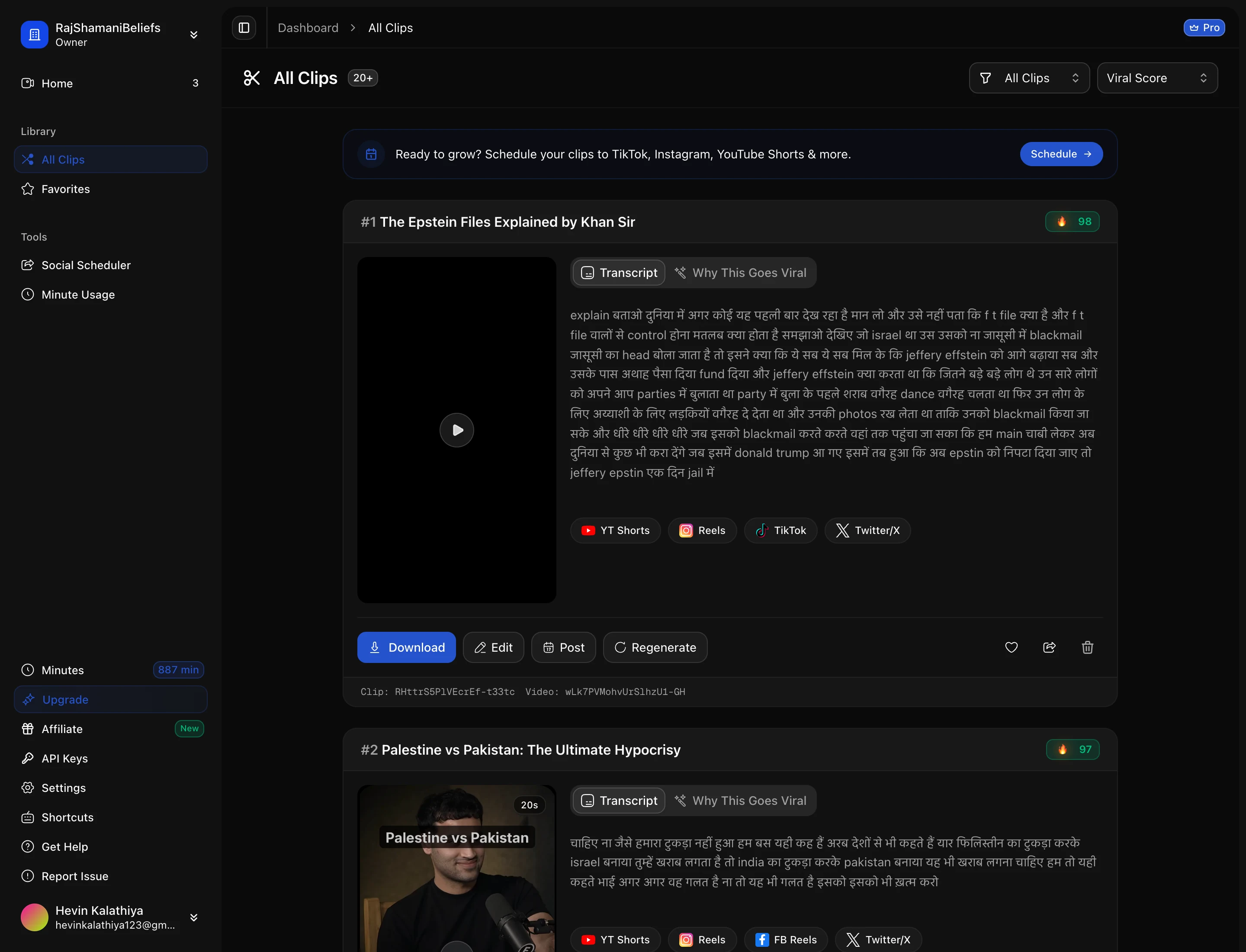
The library is the workspace-wide view: every clip from every video, rather than one video at a time. It is where you go when you know roughly what you are looking for but not which source it came from.
Narrowing it down
Clips can be filtered so you are not scrolling a wall of thumbnails — by score, by aspect ratio, by the emotions detected in them, and by whether you favourited them. Filtering by favourites is the one worth building a habit around: triage a batch once, star the keepers, and the library becomes your posting queue.
Downloading
Any finished clip can be downloaded as an MP4 at the aspect ratio it was rendered in. There is nothing to re-export first — the file you download is the file that was rendered, captions already burned in.
If you want several at once, batch export saves going one at a time.
Sharing a clip with someone outside the workspace
A share link gives someone a viewable page for a clip without an account and without access to your workspace. It is the right tool for sending a cut to a client or a guest for approval, because it exposes exactly one clip and nothing else.
Two things to keep in mind:
- Anyone with the link can view it, so treat it as unlisted rather than private.
- The viewer sees the clip and can download it. They cannot see your other clips, your videos, or anything about the workspace.
Deleting
Deleting a clip removes it from the library and its stored file. The source video is untouched, so you can regenerate from it afterwards — though that spends minutes again, which makes deleting a clip you are unsure about a false economy. Storage is not what your plan meters.
Next: edit a clip.