
Edit a clip
Fix the framing, correct captions, change where the clip starts and ends, and add hooks, text or images over the video.
Updated
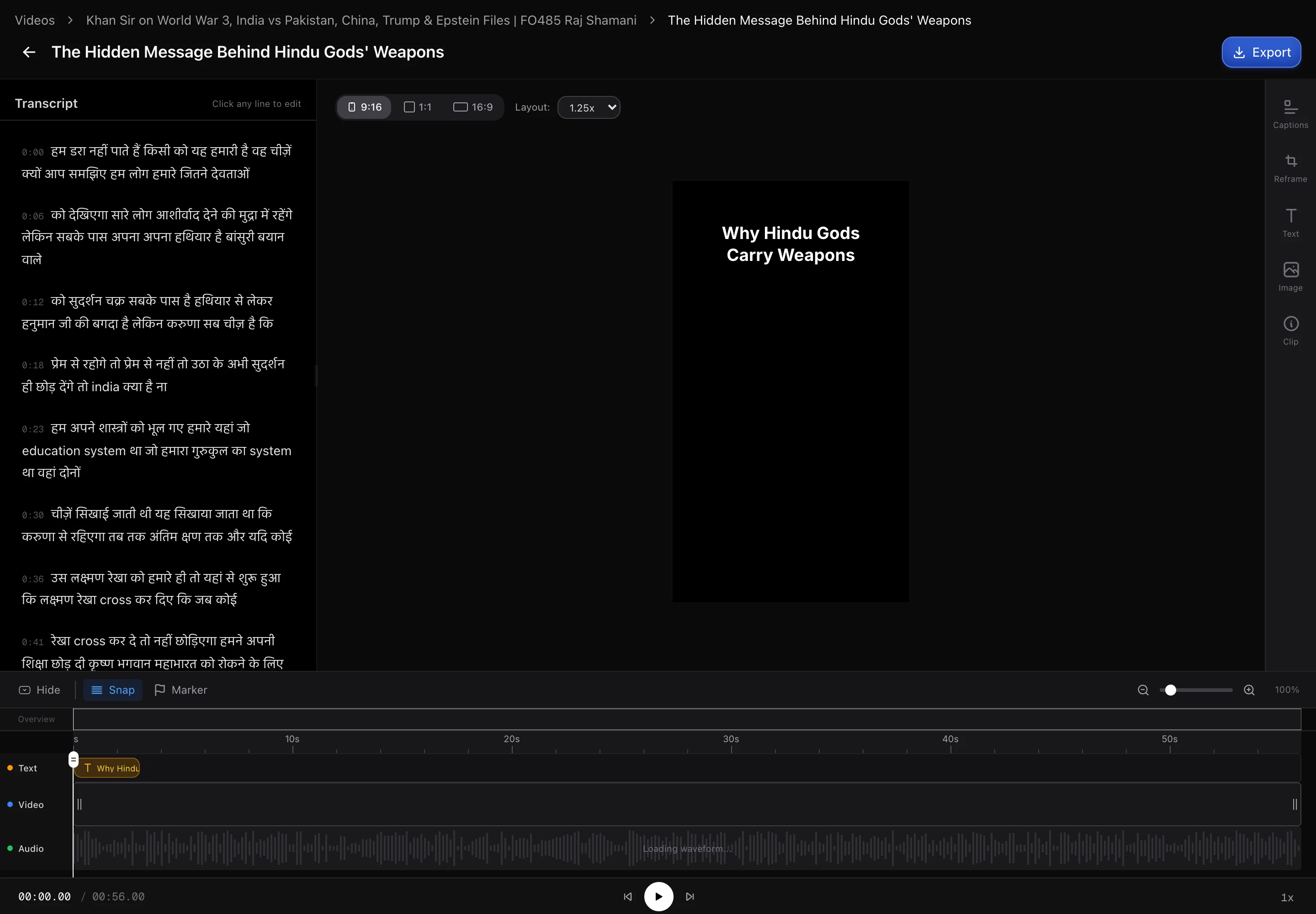
The editor is where a clip goes from usable to good. It opens with the video, a timeline underneath, and panels for each thing you can change.
Trimming
The timeline sets where the clip starts and ends. This is the highest-leverage edit available: moment detection is generous with its boundaries, and pulling the start forward by a second or two so the clip opens on the sentence that matters is often the only change a clip needs.
Framing and reframe
Aspect ratio can be changed here, and AI Reframe tracks the speaker so the crop follows them instead of sitting on a fixed centre box. This is what stops a conversation between two people turning into a shot of someone’s shoulder.
Reframe works from faces, so it is reliable on talking-head footage and much less so on footage where the subject is not a person. If the automatic framing picks the wrong thing, the crop can be positioned manually.
Captions
Captions come from the transcript, so they are usually right but not always — names, jargon and product names are the usual misses. They are editable here, and worth reading through before posting, because a burned-in typo cannot be fixed after the fact without re-rendering.
Font, size, colour and position are all adjustable, and the choice is per clip rather than global, so a clip going to a different channel can look different.
Overlays and backgrounds
- Text overlays for a hook at the top or a caption of your own.
- Image overlays for a logo or a watermark, uploaded once and reused from the workspace’s assets.
- Split-screen backgrounds put your clip above a second video — the gameplay-below format that performs well with younger audiences on TikTok and Reels.
Saving
Changes are applied when the clip re-renders, so there is a short wait after an edit before the new version is ready. The previous version is replaced rather than kept alongside, so if you are experimenting with a look it is worth duplicating the clip first.
Next: schedule clips to social.