
Review the clips from a video
What the viral score means, how to read it honestly, and how to pick which clips are worth posting.
Updated
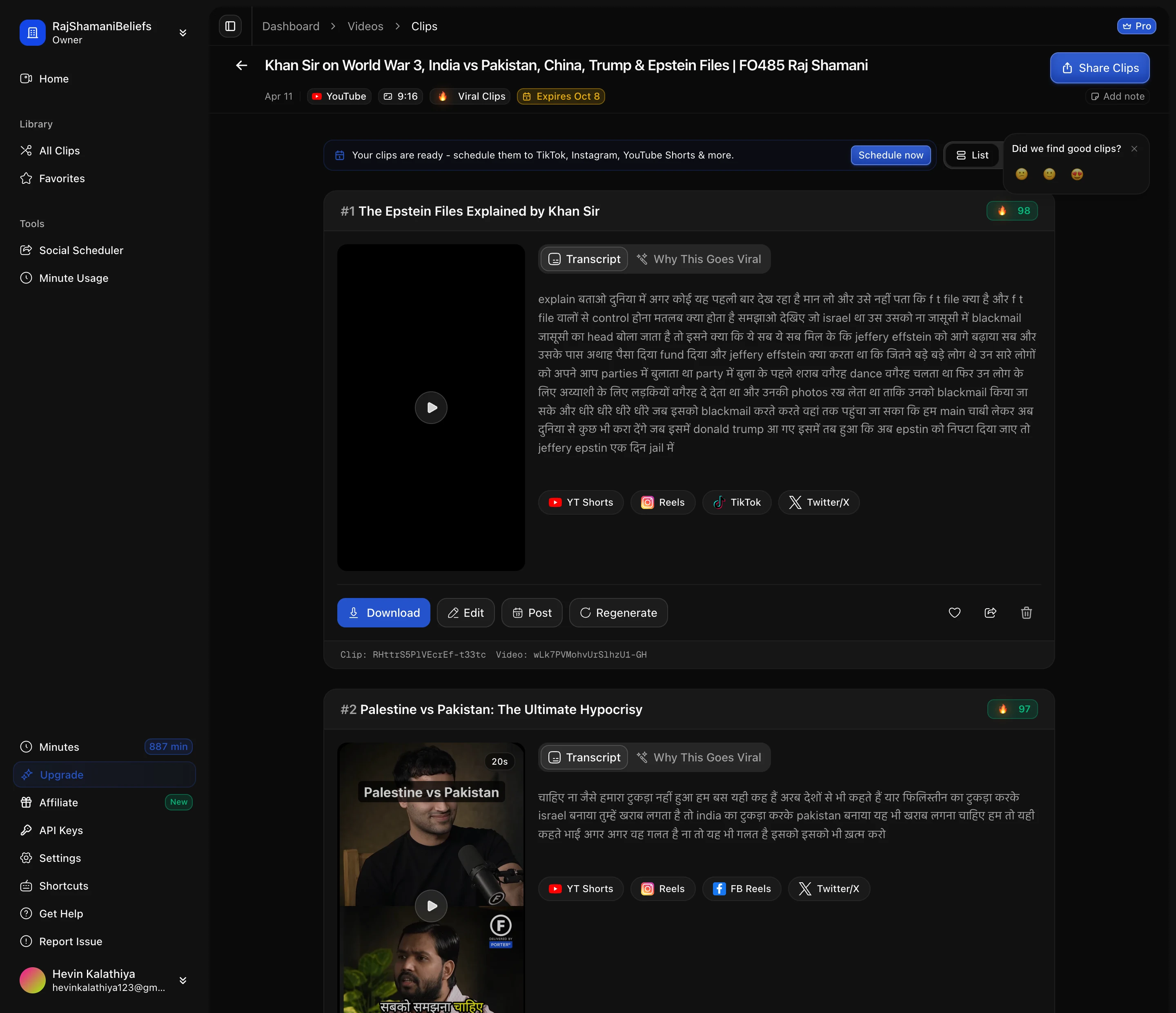
When a video finishes you get a grid of clips, each with a preview, its length and a score. This page is scoped to one source video, so it is where you triage a fresh batch.
What the score is
The score predicts how likely a clip is to hold attention, based on the transcript: whether the moment stands on its own, whether it opens with something that pulls you in, and the emotional shape of what is said. Each clip also carries the emotions detected in it, which is often more useful than the number for deciding where a clip belongs.
How to read it honestly
The score separates the bad from the good, not the good from the great. Most clips land high — in our own data roughly four out of five score above 80 — so a clip at 91 is not meaningfully better than one at 87. Treat it as a filter for the bottom of the batch, not a ranking of the top.
That is a deliberate consequence of how it works. The model is reading language, and if the source is a good conversation then most extracted moments genuinely are decent. The thing it cannot see is whether you have posted something similar last week, or whether the visual is interesting.
So the workflow that actually works:
- Discard anything scoring low. Those are usually mid-sentence cuts or moments with no real payoff.
- Watch the openings of the rest. The first two seconds decide the clip.
- Pick on subject, not on score. Five clips about five different things beat the five highest-scoring clips when they are all about the same thing.
Marking and moving on
Clips can be favourited, which is the fastest way to build a shortlist while watching through a batch. Anything you favourite stays easy to find later in the library across all your videos.
From here you can open any clip in the editor to fix the framing, edit the captions or adjust where it starts and ends.
Next: find clips in your library.